Why this page exists
This is the part of the app players use when the event is real and time matters
If group discovery gets you into the community, participation tools are what make the actual session run smoothly. The goal is simple: less confusion, faster updates, and fewer “who is on which court?” messages.
1. Confirm
Tell organizers if you are in
Players can answer Going, Not Going, or Maybe without long message threads. That gives organizers a cleaner attendance picture before they build the session.
2. Follow
Use the live event screen instead of guessing
Court assignments, upcoming games, and score status live in one place, so players know what is happening without asking the organizer to repeat updates.
3. Review
Come back later for the full story
After the event, the same system preserves results, standings shifts, and summaries so the session remains useful beyond the moment it ends.
Getting into the session
Joining a group should not be the hardest part of participating
Ladders supports the common ways players actually enter competitive communities. That matters because reliable participation starts before RSVP.
- 1. New players can activate from an invitation email and join directly.
- 2. Existing users can be added by organizers without creating duplicate accounts.
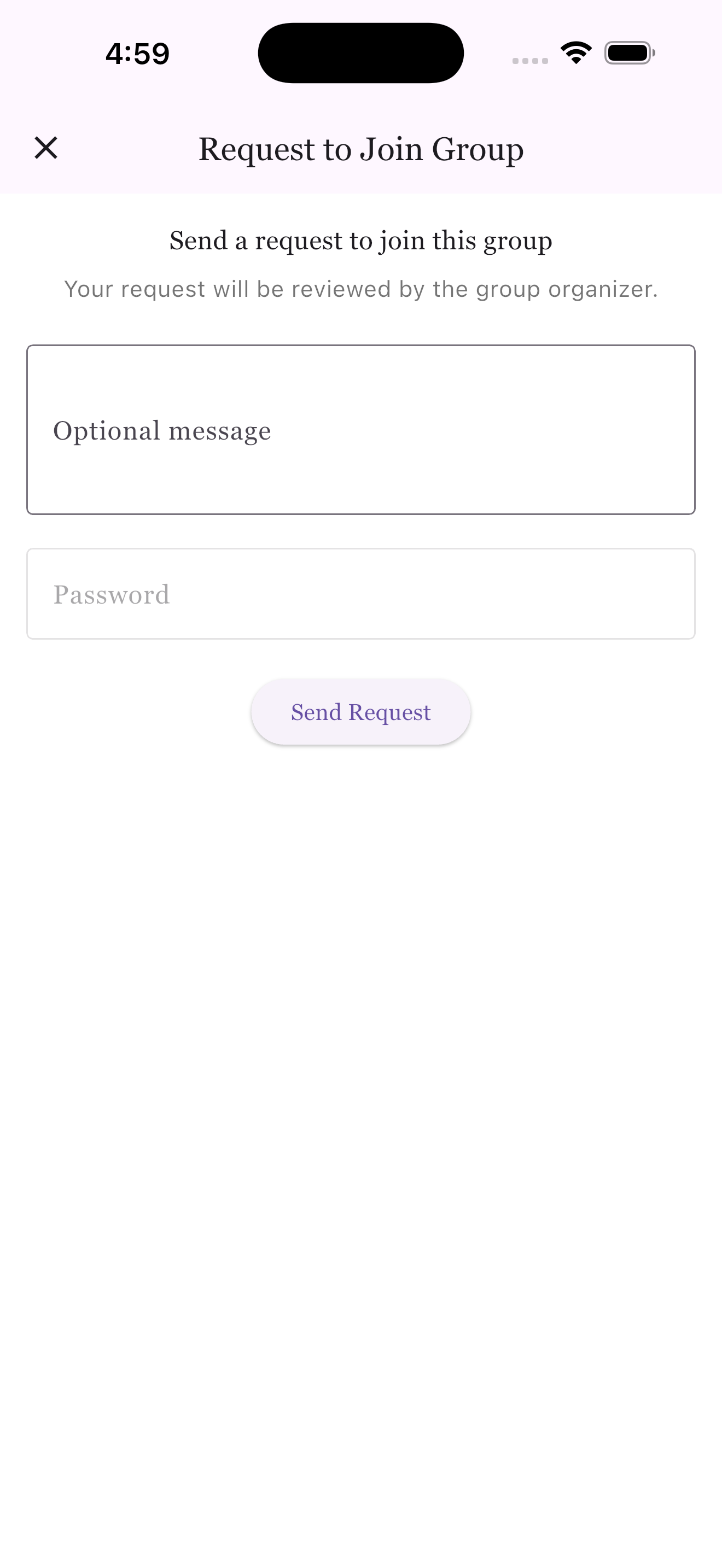
- 3. Players can request access from a public group page when discovery is enabled.
RSVP and waitlist
The app replaces attendance chaos with clear signals
Instead of informal text replies, players can update availability in a structured way that organizers can trust. If a session is full, waitlist movement is visible and easier to manage.
Players can mark themselves as going, not going, or maybe.
Organizers get cleaner data before creating pairings or court plans.
Waitlists can move faster because availability changes are easier to process.
What players get back
- 1. Less uncertainty about whether they are actually in.
- 2. Fewer last-minute messages asking about availability or replacements.
- 3. Better visibility into how the session is progressing once play begins.
Live play
When the session starts, players need a live surface they can trust
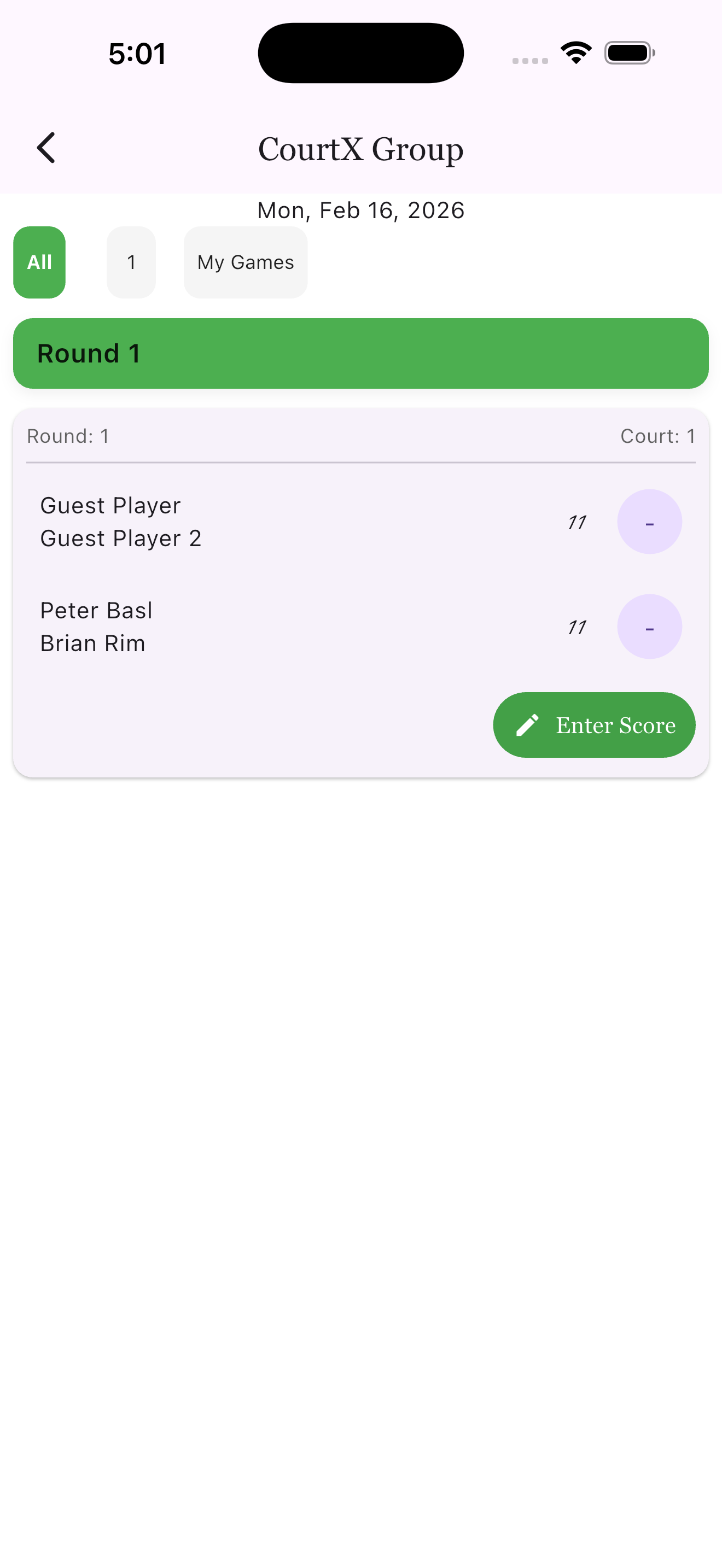
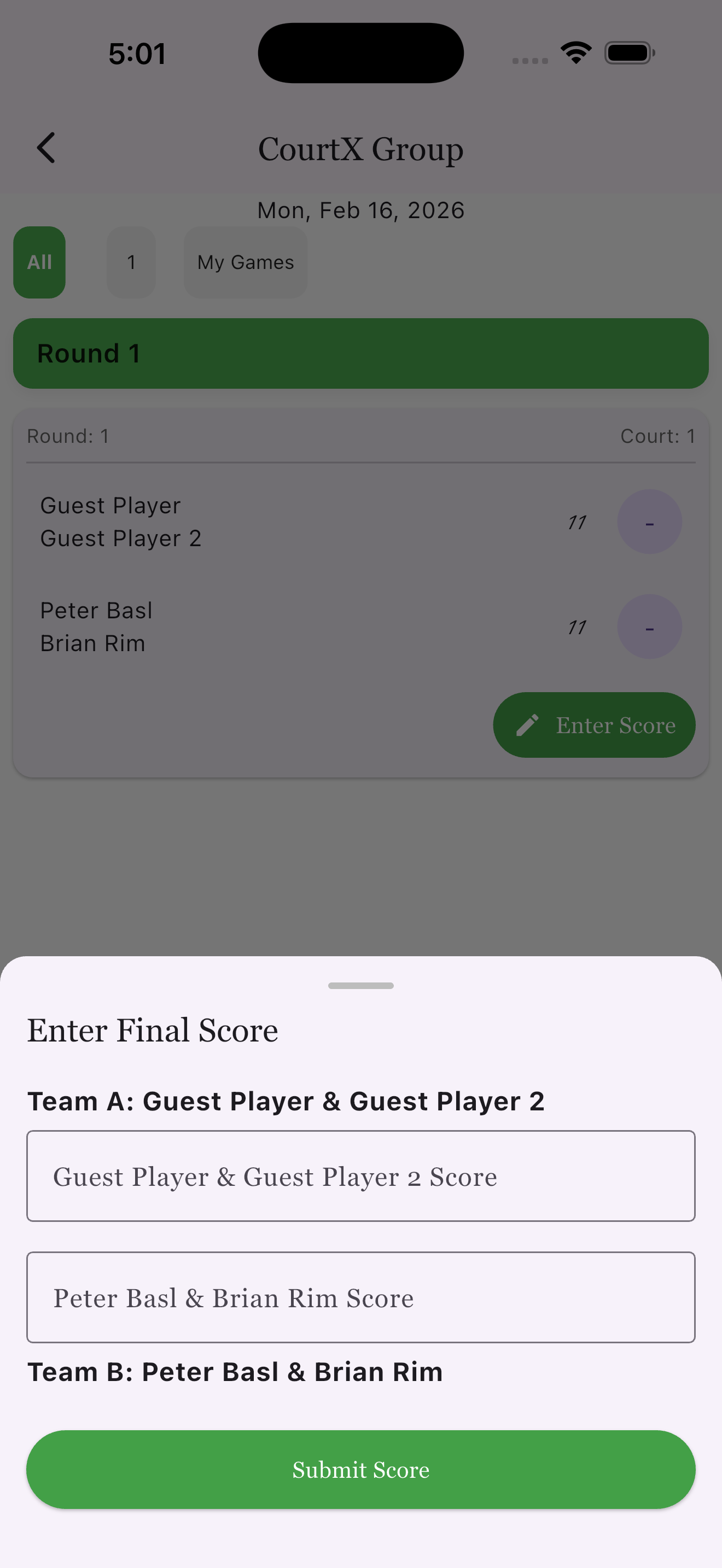
This is where the game-day experience becomes practical. Players open the live session screen to see court assignments, current matches, score entry, and what comes next.
What players can do live
Check current court assignments
Players can see where they play and against whom without waiting for a verbal update from the organizer.
Submit scores as matches finish
Score entry can happen right at the match level, which keeps the event moving and reduces the chance of forgotten results later.
Watch standings react to results
As scores are entered, the session and group context stay current, helping players understand the competitive picture while the action is still fresh.
Where this fits
Participation is one part of the player experience, not the whole thing
Use this page to understand RSVP and match-day flow, then jump into the deeper player guides depending on how your community runs events.
Overview
Player App Overview
For pickleball groups: Start here if you want the broader player journey across groups, sessions, tournaments, and profiles.
Sessions
Sessions Player Guide
See the deeper walkthrough for live tabs, assignments, score entry, standings, and completed summaries.
Groups
Groups Player Guide
Use the group guide if you want the fuller context for joining, group hubs, rankings, history, and ongoing community activity.
Player CTA
Play with less confusion before, during, and after every session
Ladders gives players one place to respond, follow the event, and revisit the outcome instead of piecing the day together from group chats.